

Waste Tracking
Food waste tracking built for the kitchen line
Waste tracking only works if the line will do it in the middle of a rush. The RMS keeps logging to a few taps: choose the item, enter how much, and file the batch into a box. The unit, the time and the person who logged it are recorded for you.
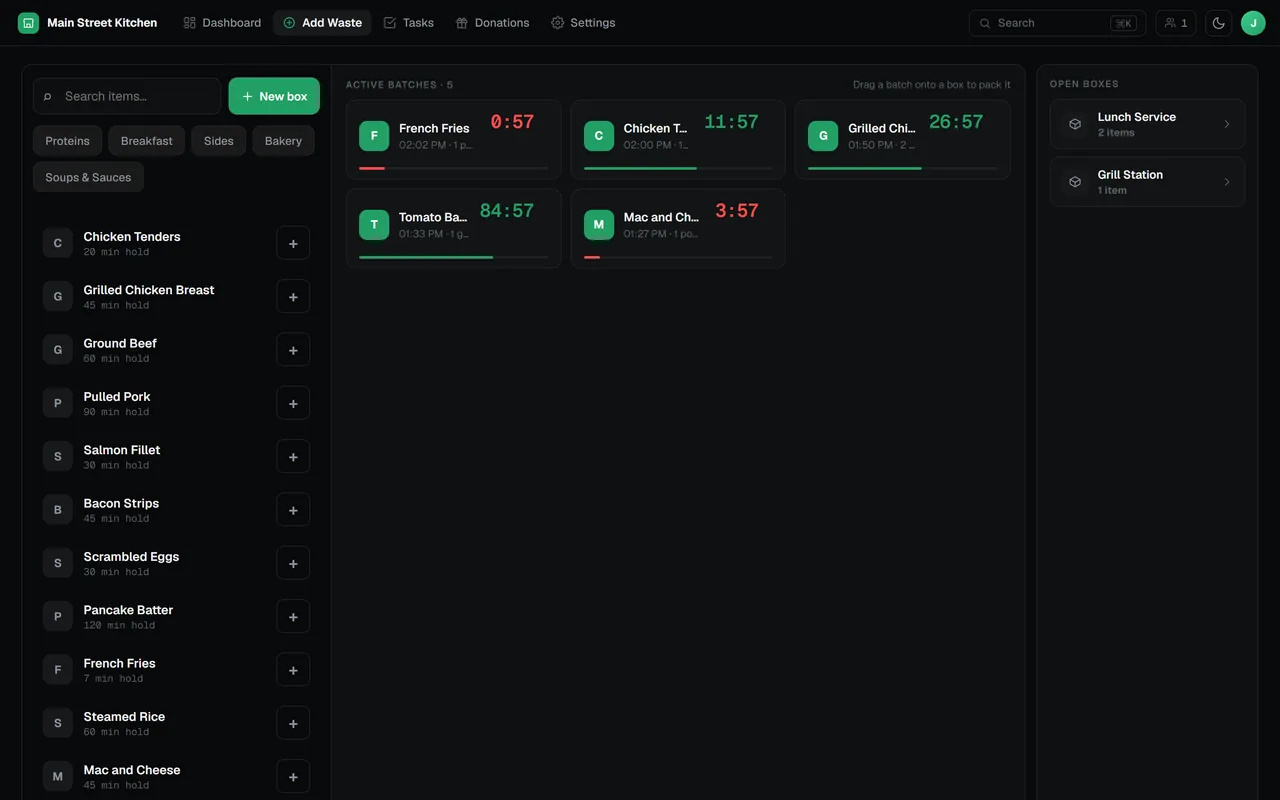
How a box gets logged
- Pick the item from the rail, filtered by category if you like.
- Enter the quantity. The RMS turns it into a batch in the item’s unit.
- Drag the batch into a box, or tap Done when only one box is open.
- Review the box and close it. Each batch is saved as one waste entry.
One board for the whole line
The Add Waste board shows your menu items on one side and the open batches and boxes beside them. Batches wait in view until someone files them, and a new box is always one tap away at the top of the rail.
- Category filter to find items quickly on a long menu
- Items without a holding time are flagged, so nobody guesses
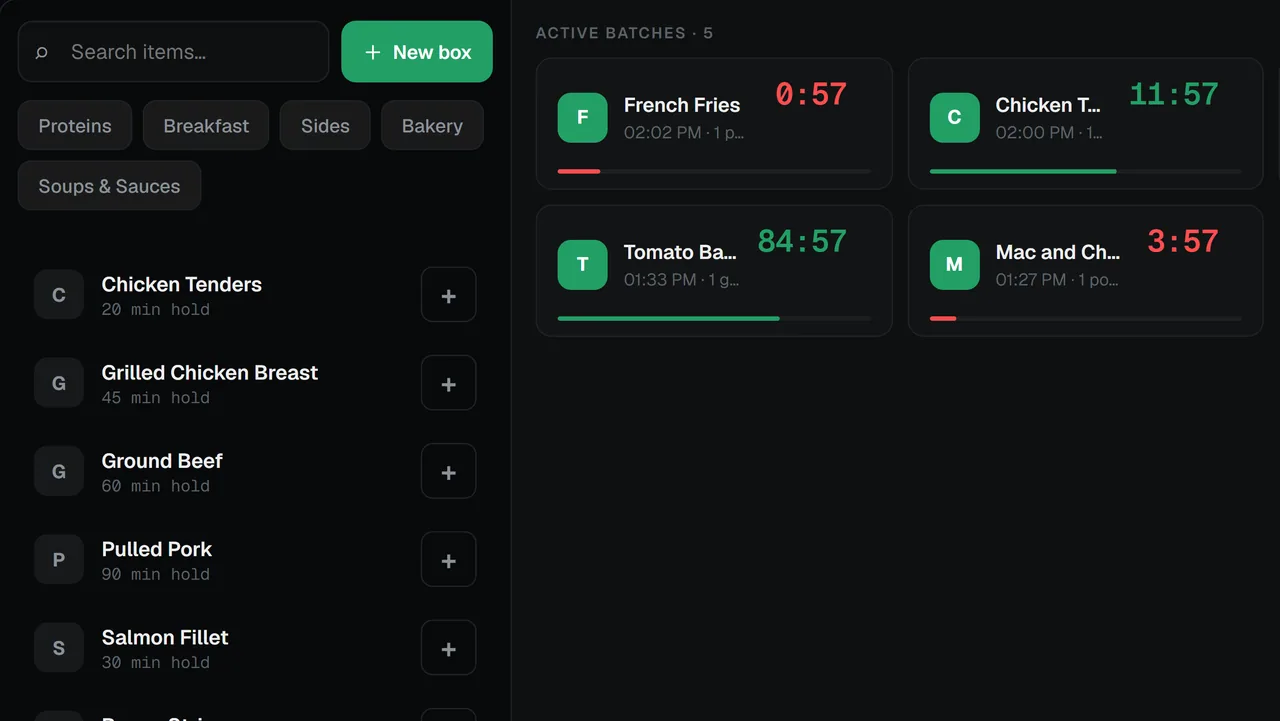
Made for the tablet on the pass
The board is laid out for touch. Drag a batch onto a box with a finger, with no text selection or tap flash getting in the way. It works the same on a phone, a tablet or a desktop browser, with nothing to install.
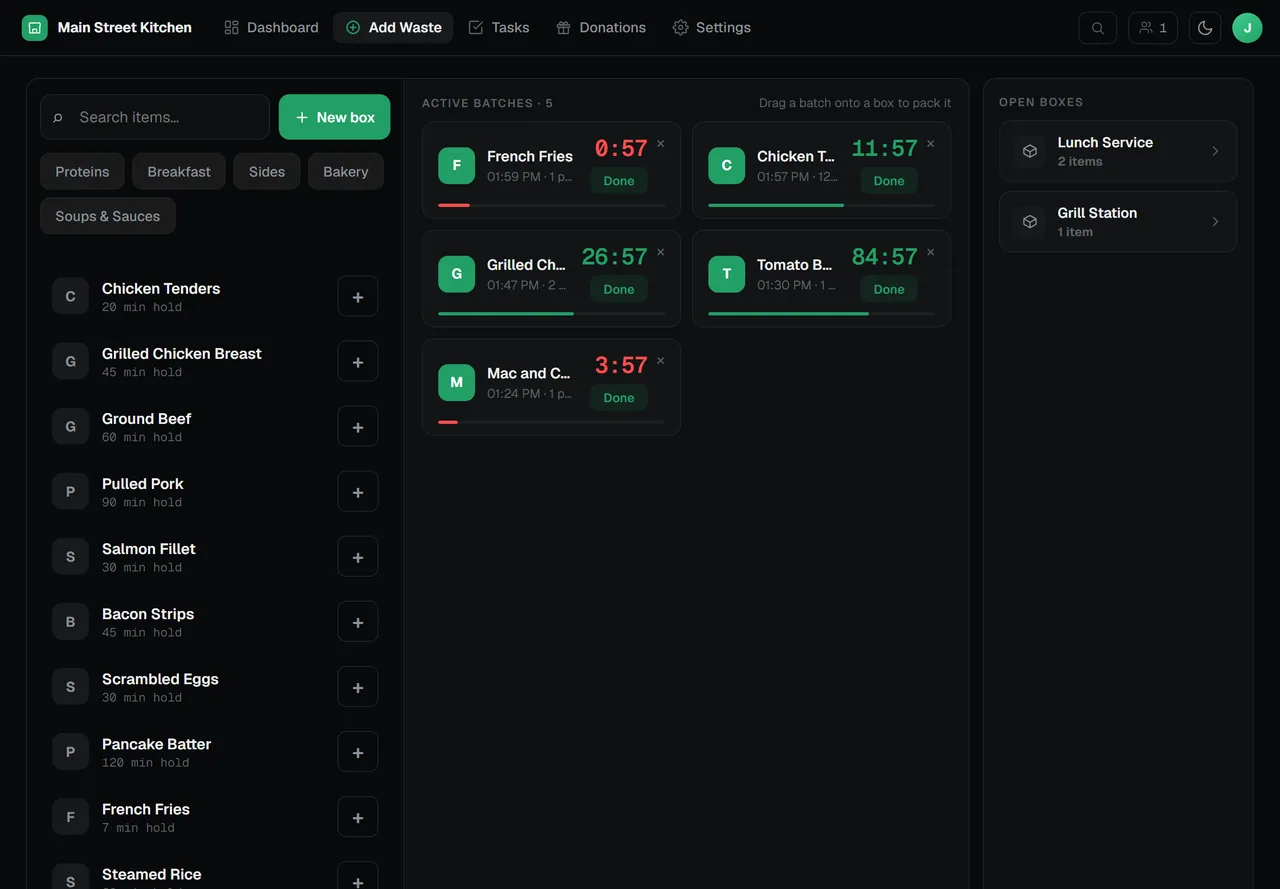
Review the box, then close it
Open a box to check its batches and correct a quantity before committing. Closing the box writes one waste entry per batch, with the item, quantity, unit, time and who logged it.
- Open boxes and batches sync live across every tablet and browser in the restaurant
- Auto-close can commit any box still open at a time you choose, marked as auto-closed
- The database refuses a duplicate batch, so a box closed on two devices at once is saved once
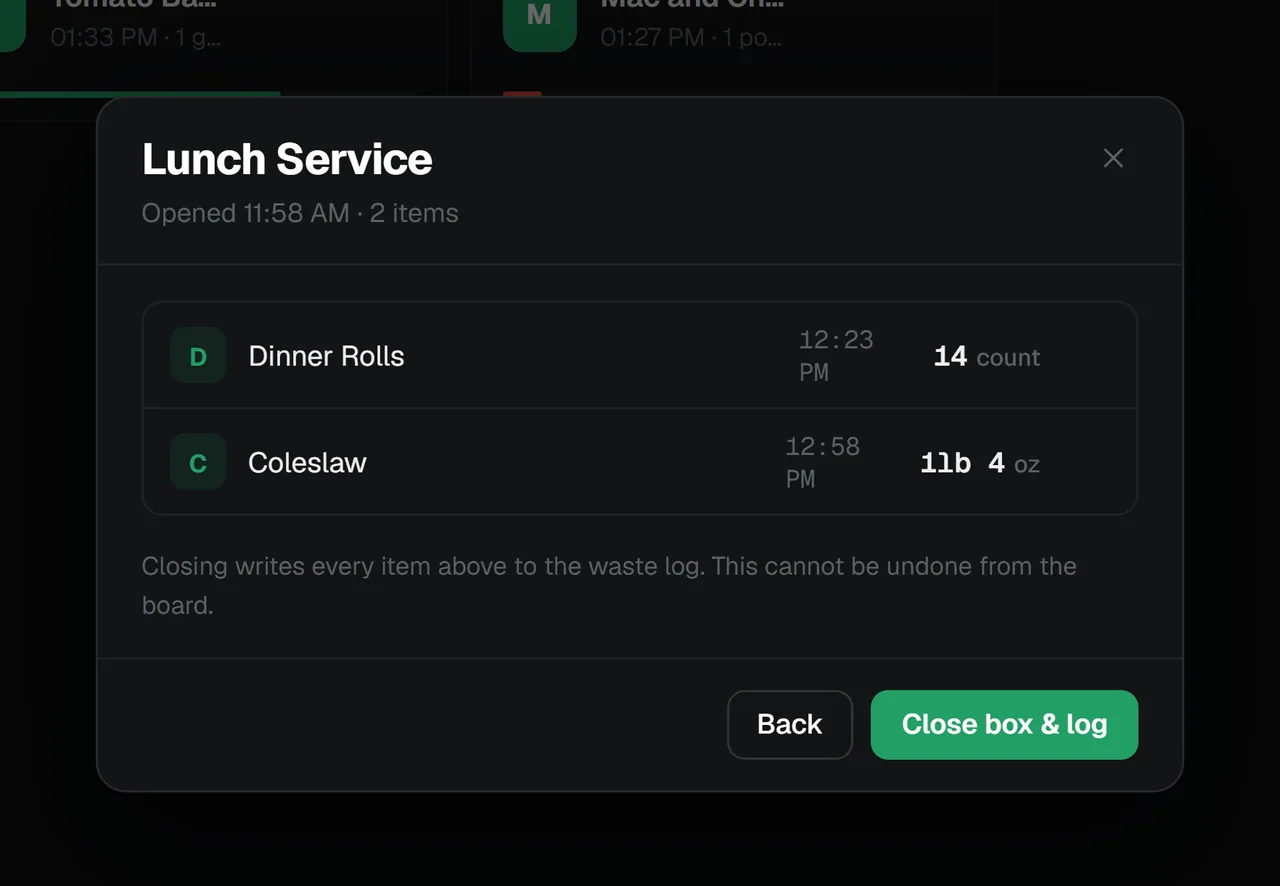
Your menu, your units
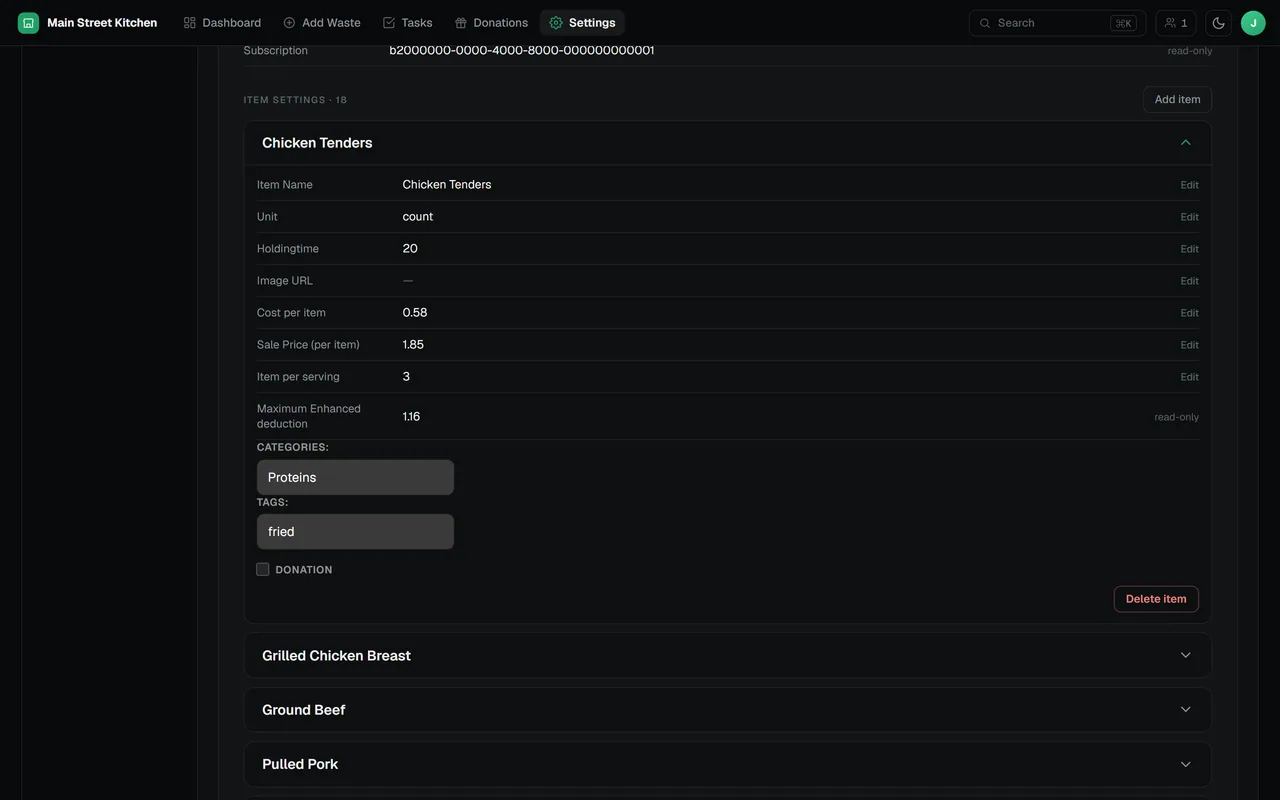
Each item carries its unit, holding time, cost per item, sale price, items per serving, categories and tags. Those settings drive the cost figures on the dashboard and the values in the donation tax summary.
- Six unit types: count, pieces, pounds and ounces, kilograms and grams, gallons and quarts, liters and milliliters
- Categories and tags that filter the item rail on the board
What Waste Tracking includes
Seconds per entry
Item, quantity, box. The unit, timestamp and person are filled in automatically.
Live across devices
Open boxes and batches sync in real time between every tablet and browser.
One entry per batch
Each batch has a unique ID and the database rejects a second copy, so totals are never doubled.
Holding times
Set how long an item may be held, and each batch counts down on the board.
Auto-close
Choose a time of day and boxes left open are closed and logged for you.
Viewer-safe roles
Viewers can read reports without being able to log or change waste.
Questions about waste tracking
How do staff log food waste in the RMS?
They pick the item, enter the quantity and drag the batch into a box, or tap Done when only one box is open. Closing the box saves one entry per batch with the item, quantity, unit, time and the person who logged it.
Does waste tracking work on tablets and phones?
Yes. The Add Waste board supports touch drag and drop and is laid out for kitchen tablets, and it also works on phones and desktop browsers. There is nothing to install.
Which units can I track?
Count, pieces, pounds and ounces, kilograms and grams, gallons and quarts, and liters and milliliters. Ounces are stored as pounds and quarts as gallons, so totals add up.
What happens if two people close the same box at once?
Every batch carries a unique ID and the database rejects a second copy of it, so a box closed on two devices at the same moment is still recorded once.
What happens to boxes nobody closed?
Turn on auto-close and pick a time of day. Any box still open at that time is closed and logged automatically, and marked as auto-closed.
The rest of the RMS
Every feature reads from the same boxes your team logs.
Find out where your food cost goes
Tell us about your kitchen and we will show you the RMS.