

Restaurant management system
Know what your kitchen wastes, down to the dollar
All Right Systems RMS is restaurant management software that logs food waste on a kitchen tablet, turns it into cost and trend dashboards, and records surplus food as signed donations with tax figures.
- Tablets, phones and desktop
- Several restaurants, one account
- PDF and Excel exports
Log it once. Use it three ways.
Every box your staff close is recorded once. The dashboard reports on it, and donations draw from it. Choose a feature to jump to it.
- Dashboard AnalyticsSee what your kitchen wastes, what it costs and when it happens, for every restaurant.See how it works
- Waste TrackingLog waste in seconds on a kitchen tablet: pick the item, enter the amount, drop it in a box.See how it works
- Donation TrackingTurn surplus food into signed, documented donations, with receipts and tax figures.See how it works
From the line to the ledger
Log
Staff file each batch of waste into a box on the kitchen tablet. Closing the box saves every batch.
Analyze
The dashboard updates with totals, cost, trends and dayparts, for each of your restaurants.
Donate
Good surplus goes to a saved organization, signed for, receipted and totaled for tax.
Dashboard Analytics
See what your kitchen throws away, and what it costs
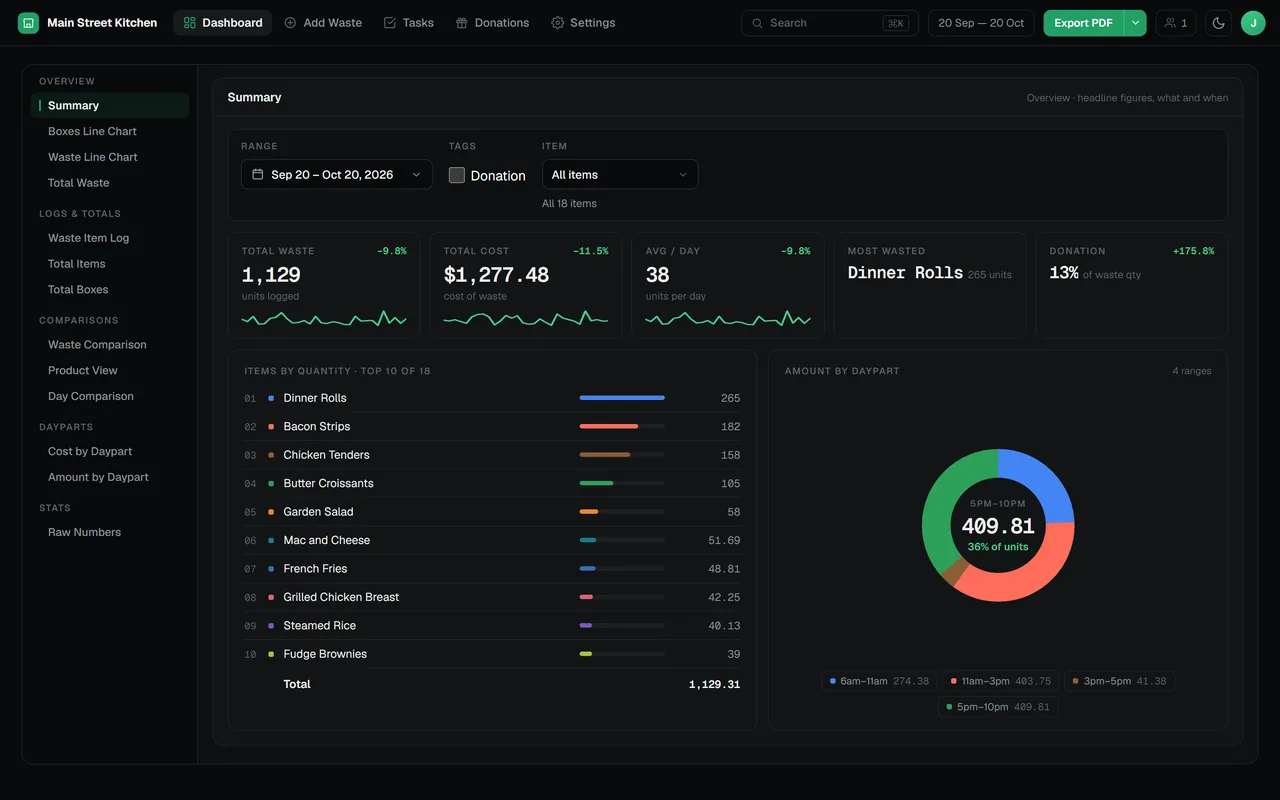
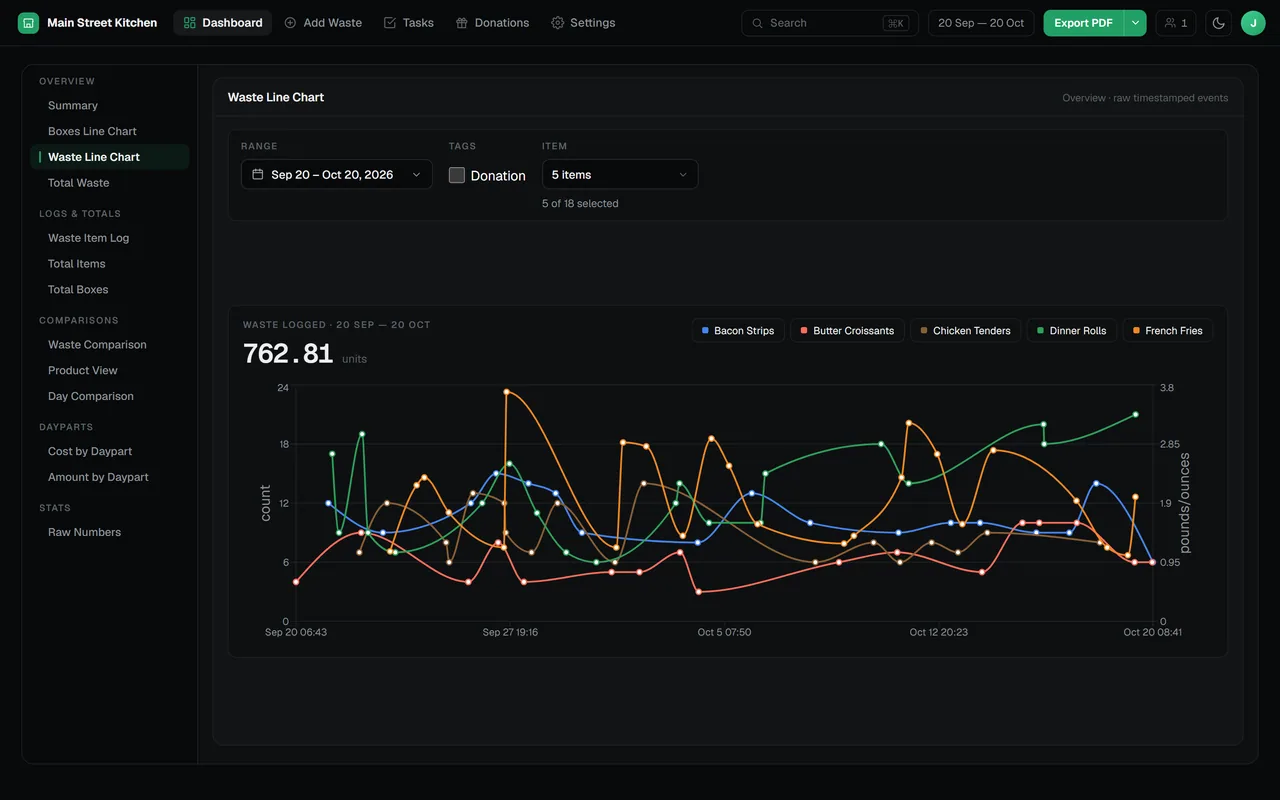
The dashboard opens on a summary of the period you pick: total waste, total cost, the daily average, the most-wasted item and how much went to donation. The totals show how they moved against the period before. One click takes you to trend lines, logs, comparisons and daypart breakdowns.
- Headline totals with sparklines and change against the previous period
- Most-wasted items ranked, and waste split by part of the day
- Compare two days, two weeks, two months or any set of date ranges
- Export any view as a PDF report or an Excel workbook
Waste Tracking
Logging waste takes seconds, so it gets done
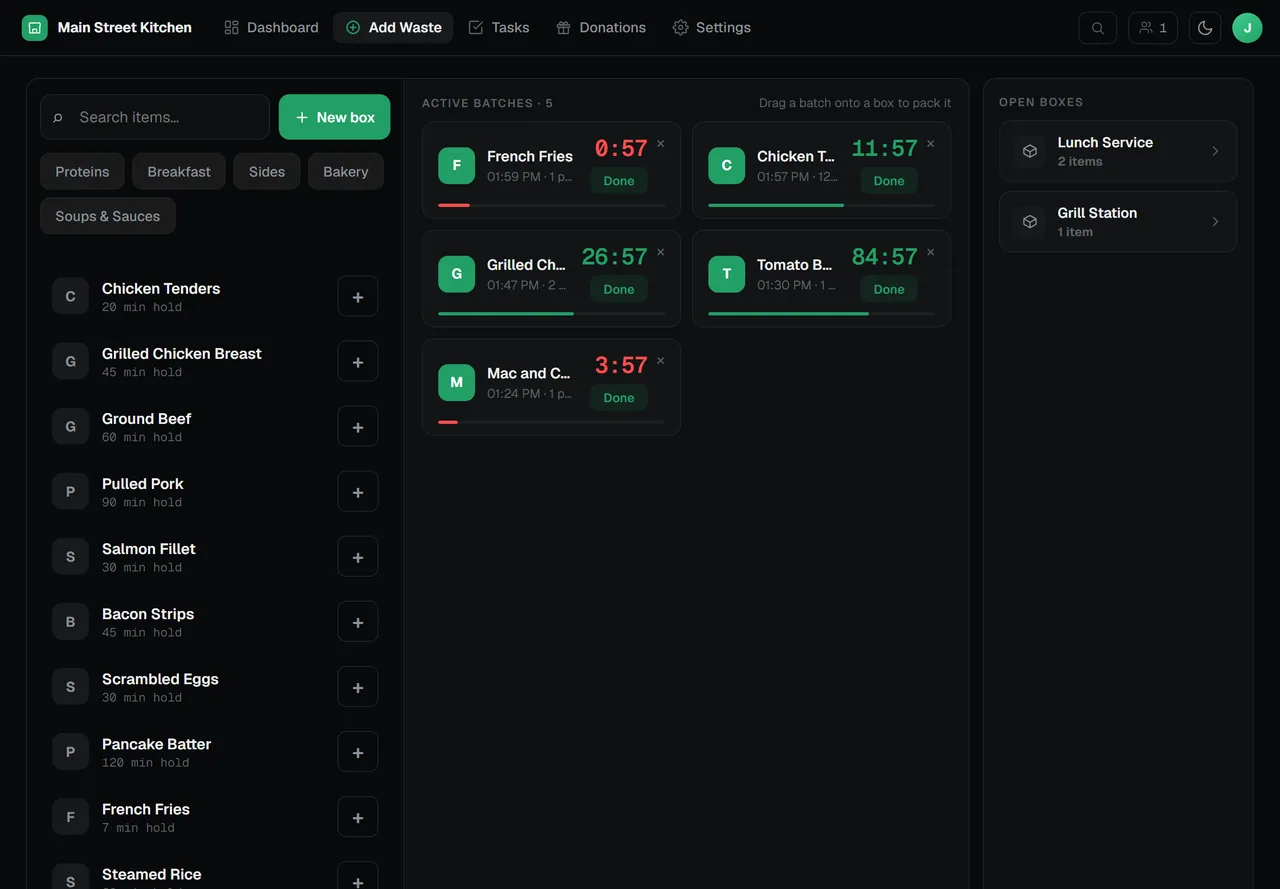
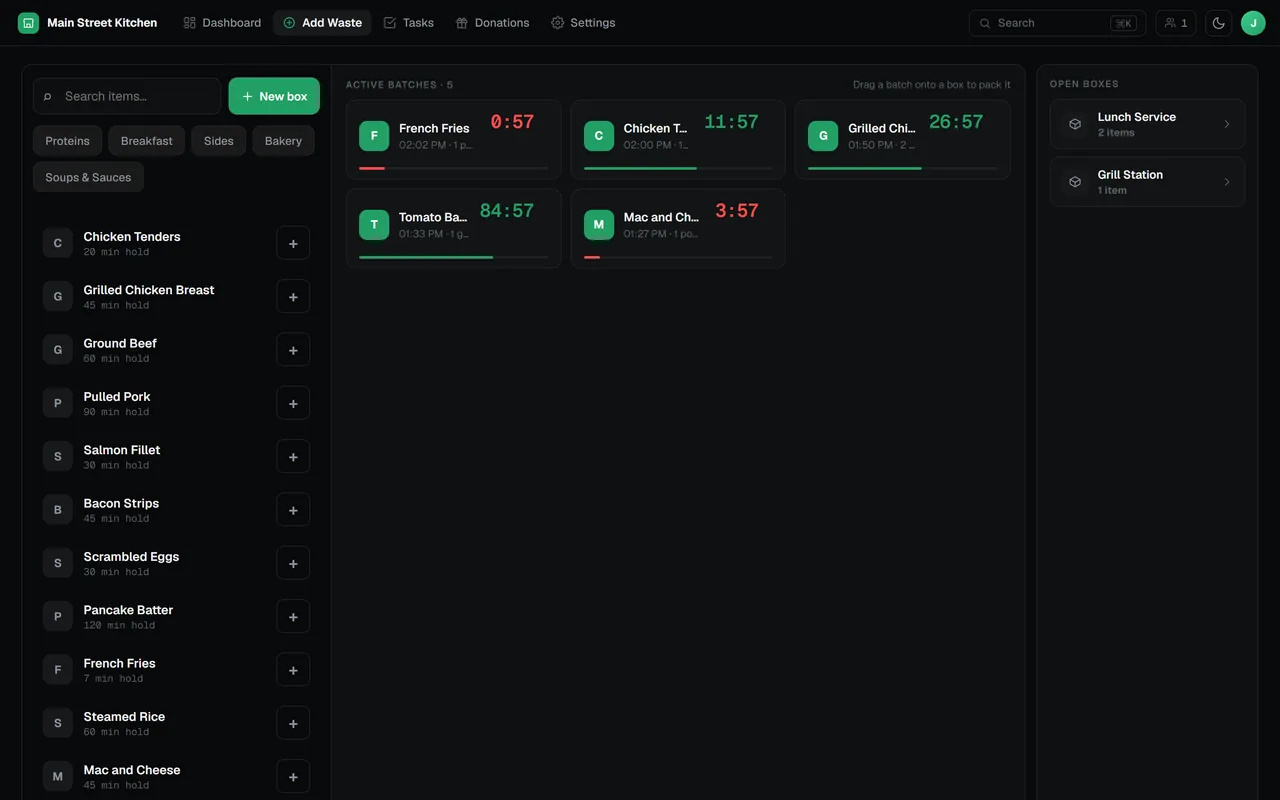
Staff tap an item, enter how much and drop the batch into a box. When the shift ends, closing the box records every batch with its unit, time and the person who logged it, ready for the dashboard.
- Built for kitchen tablets, with touch drag and drop
- Each batch counts down its holding time, so the line sees when it should come off
- Live sync: every tablet and browser sees the same open boxes
- Boxes still open at closing time can close themselves
Donation Tracking
Surplus food becomes a signed, documented donation
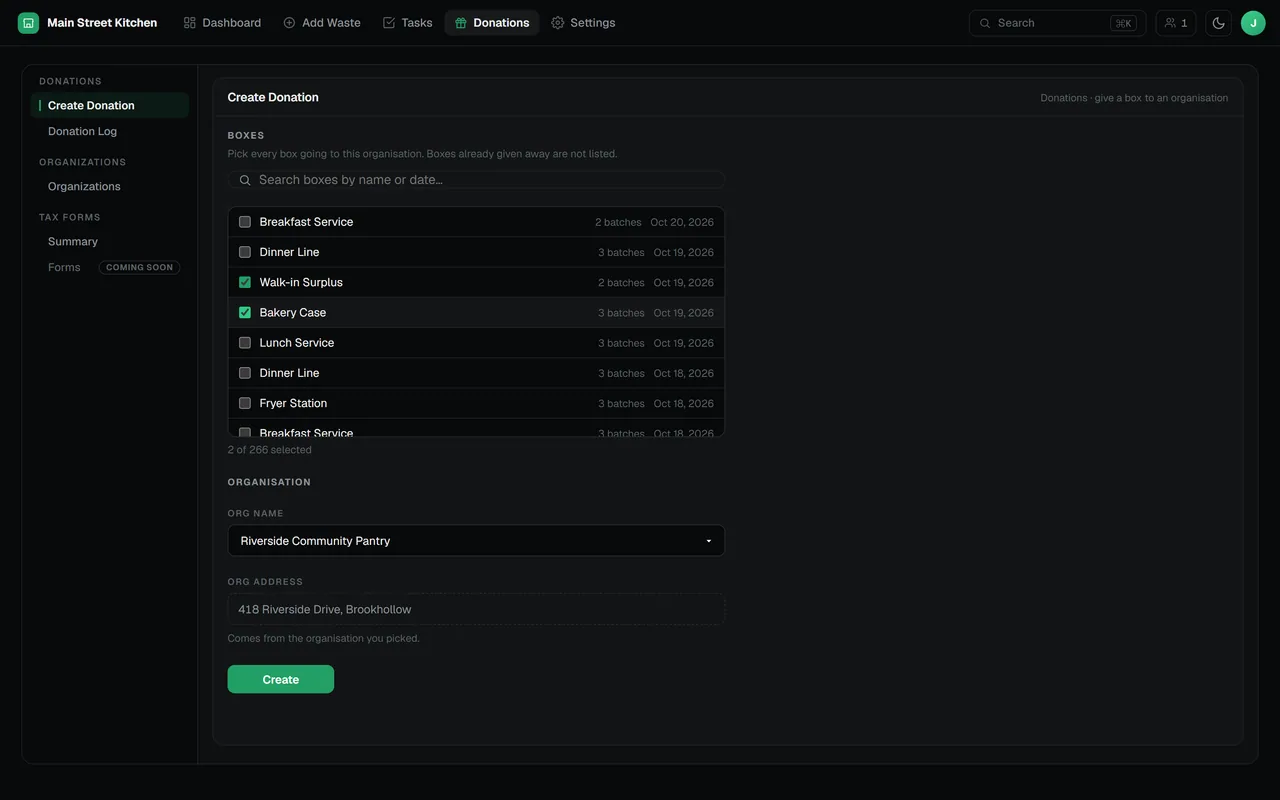
When food is still good, give it away instead of throwing it out. Pick the closed boxes, choose the organization, collect an e-signature and print a receipt. The RMS totals the cost basis, fair market value and maximum enhanced deduction for you.
- Donations made of one or several closed boxes, item by item
- A saved list of the organizations you donate to
- E-signature and a printable PDF receipt for every donation
- Tax summary: cost basis, fair market value and maximum enhanced deduction
Also in the RMS
The rest of the kitchen, covered
Tasks and sign-offs
Recurring checks with due dates, sign-offs and a station board, so opening and closing duties get done.
Timers
Repeating countdown timers for prep and holding, with a clock-face display option.
Several restaurants
Run each location from one account and switch between them in the sidebar.
Roles and permissions
Restaurant admins, users and viewers, each scoped to the restaurants they work at.
PDF and Excel export
Every report leaves the RMS as a PDF or an Excel workbook whenever you need it.
Data kept apart
Each account’s records are isolated in the database by row-level security.
Value you can measure
We build for results you can count: less food thrown away, a lower food cost, donations you can document.
Autonomy for your team
Tools simple enough that the line uses them during service, without a manager standing over them.
Freedom from vendor lock-in
The RMS runs in any modern browser on hardware you already own, and your data exports whenever you want it.
Frequently asked questions
Short answers about the RMS. Anything else, ask us in the chat.
What is All Right Systems RMS?
A restaurant management system for tracking food waste, analyzing what it costs and recording food donations. Staff log waste on a tablet, managers read the dashboard, and donations are documented with e-signatures, receipts and tax figures.
Who is All Right Systems RMS for?
Independent restaurants, multi-location groups and franchise operators who want to measure and reduce kitchen waste. Line staff log waste; owners and managers use the dashboard and the donation records.
What devices does the RMS run on?
Any modern browser on a tablet, phone or computer. There is nothing to install, and the waste board is built for touch.
Can one account run several restaurants?
Yes. One account can run several restaurants, and each user is assigned to the restaurants they work at.
Is our data kept separate from other restaurants?
Yes. Every account’s records are isolated in the database with row-level security, so one business cannot read another’s data.
How do we get started?
Book a demo through the contact form or the chat. The All Right Systems team will walk you through the RMS and how to set it up for your restaurants.
Find out where your food cost goes
Tell us about your kitchen and we will show you the RMS.