

Donation Tracking
Food donation tracking with receipts and tax totals
Food that leaves your kitchen as a donation is still inventory with a cost. The RMS builds each donation from boxes your staff already logged, so the contents, quantities and costs are exact, and it keeps the paperwork your accountant will ask for.
Questions it answers
- What did we donate this year, and to whom?
- What did that food cost us?
- What is the most we could deduct for it?
- Do we have a signed receipt for every donation?
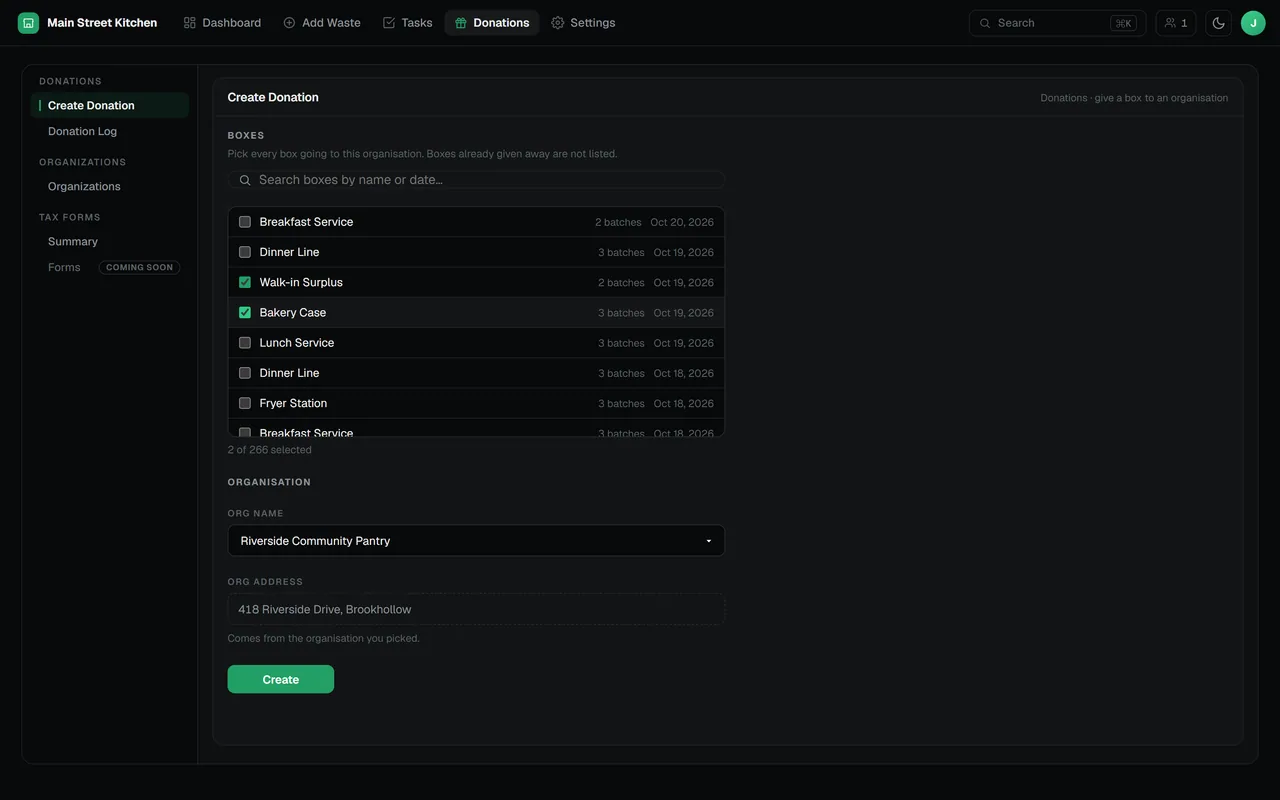
Build a donation from closed boxes
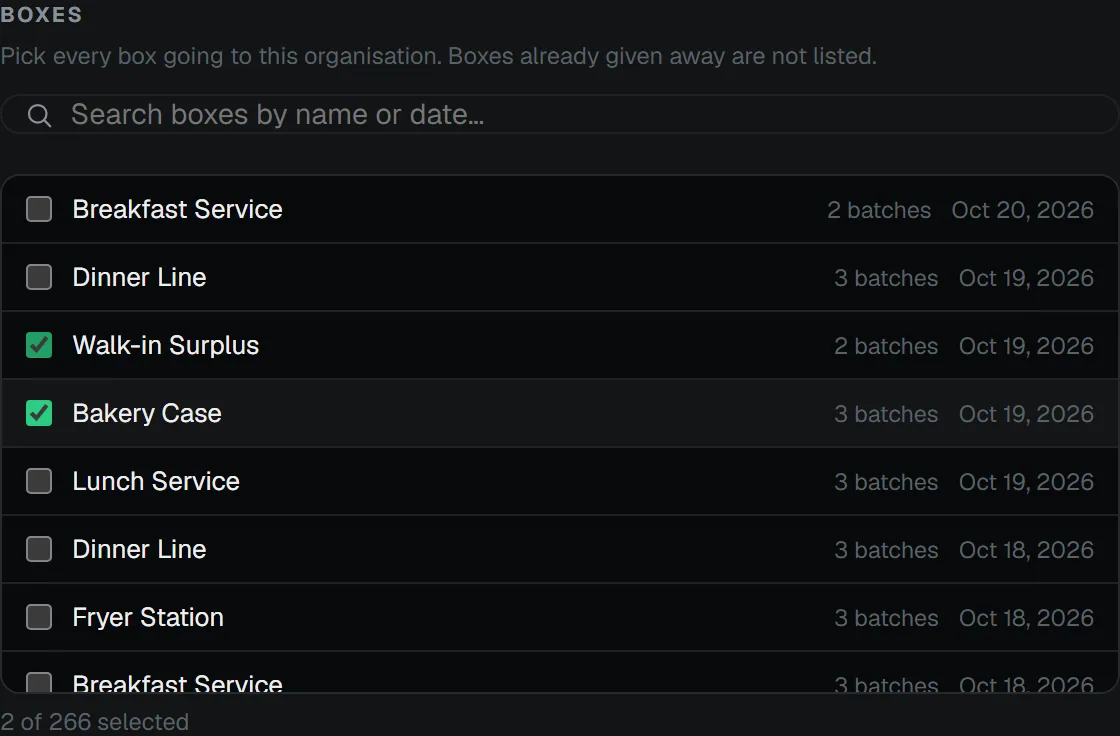
Choose one or several closed boxes that have not been donated, then the organization receiving them. The donation inherits every item, quantity and unit from those boxes, and each donated entry is recorded at its cost.
- A box can only be donated once, which the database enforces
- Remove a donation and its boxes return to the pool, with a note saying so
Signed, and dated by the database
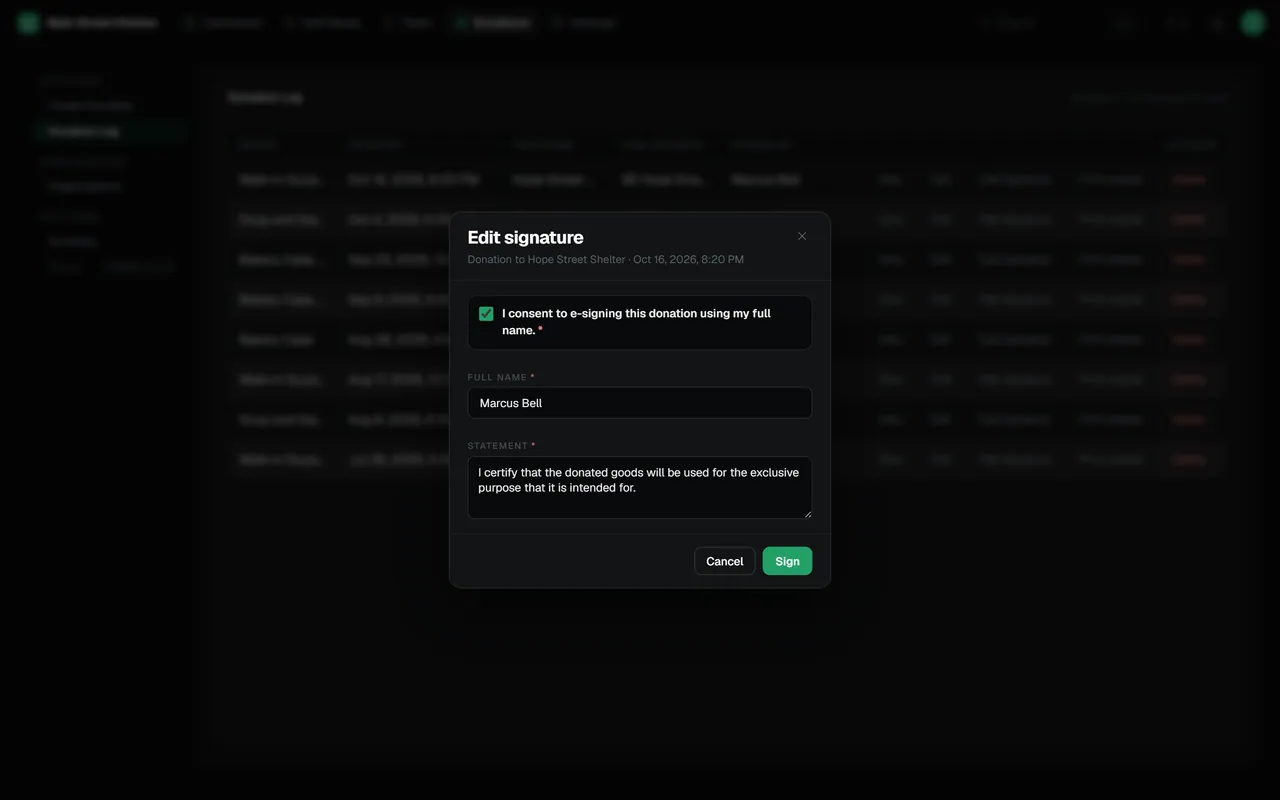
Each donation can carry an e-signature: the signer ticks consent, types their full name and confirms the statement they are signing. The date is stamped by the database when the signature arrives, so it cannot be backdated.
A log of everything given away
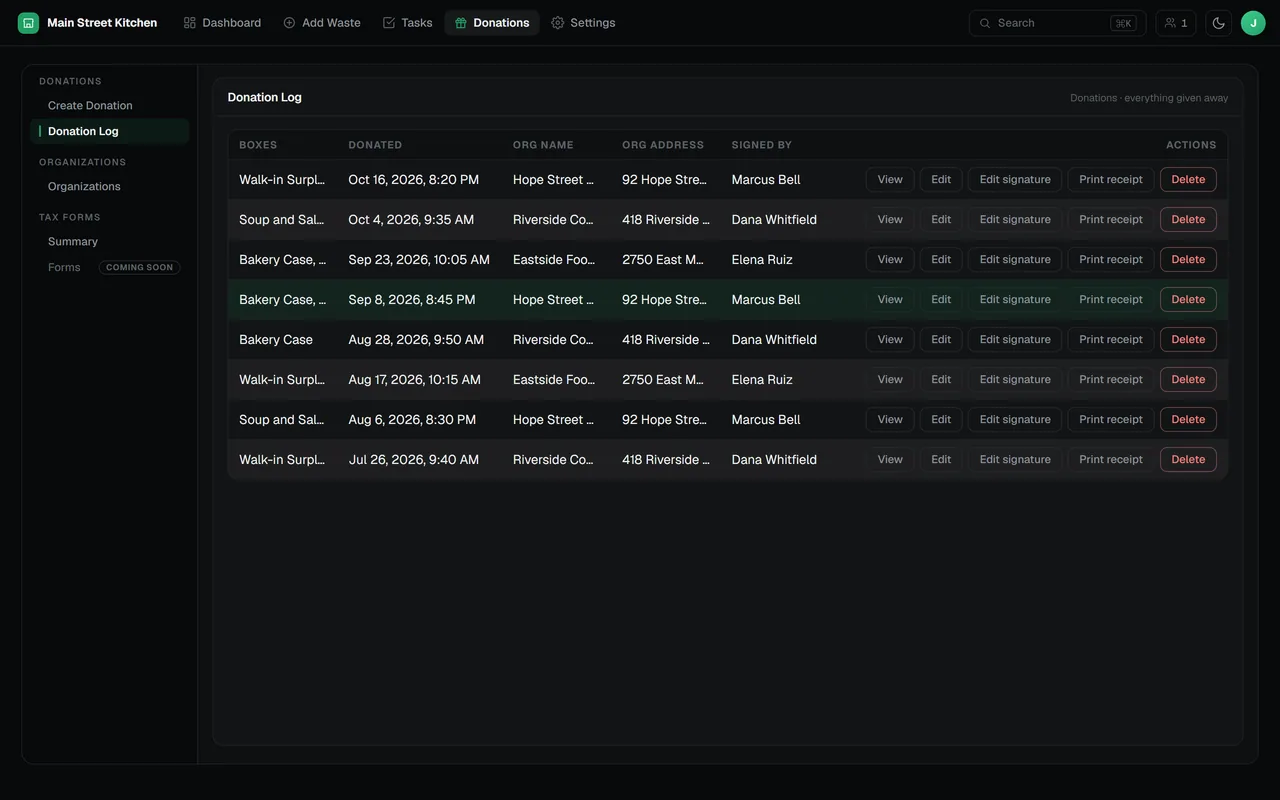
The Donation Log lists every donation with its boxes, date, organization and who signed for it. Open one to read it box by box and item by item, and print a PDF receipt with a receipt number, the contents, the total cost and the signature.
Tax figures from your own records
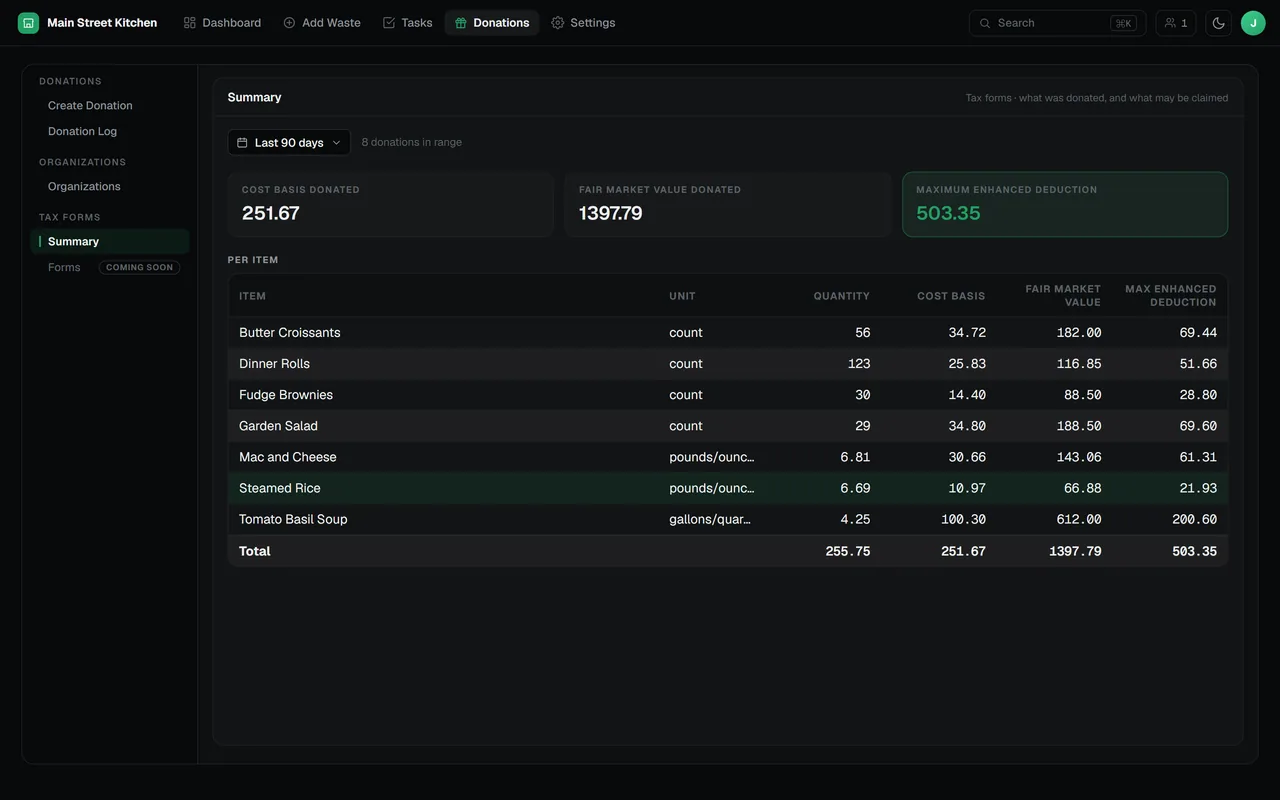
The Summary view totals what was donated in any date range, item by item: quantity, cost basis, fair market value and maximum enhanced deduction. Cost basis comes from each item’s cost and fair market value from its sale price.
- Items without a price show a dash, not a misleading zero
- Tax forms are coming soon
The maximum enhanced deduction is calculated per item as the smaller of cost basis plus half the gap between fair market value and cost basis, or twice the cost basis. US rules decide whether it can be claimed: the charity must qualify and use the food to care for the ill, the needy or infants, and the yearly deduction is capped at a share of income. It is an estimate from your records, not tax advice; confirm it with your tax professional.
Organizations you pick from
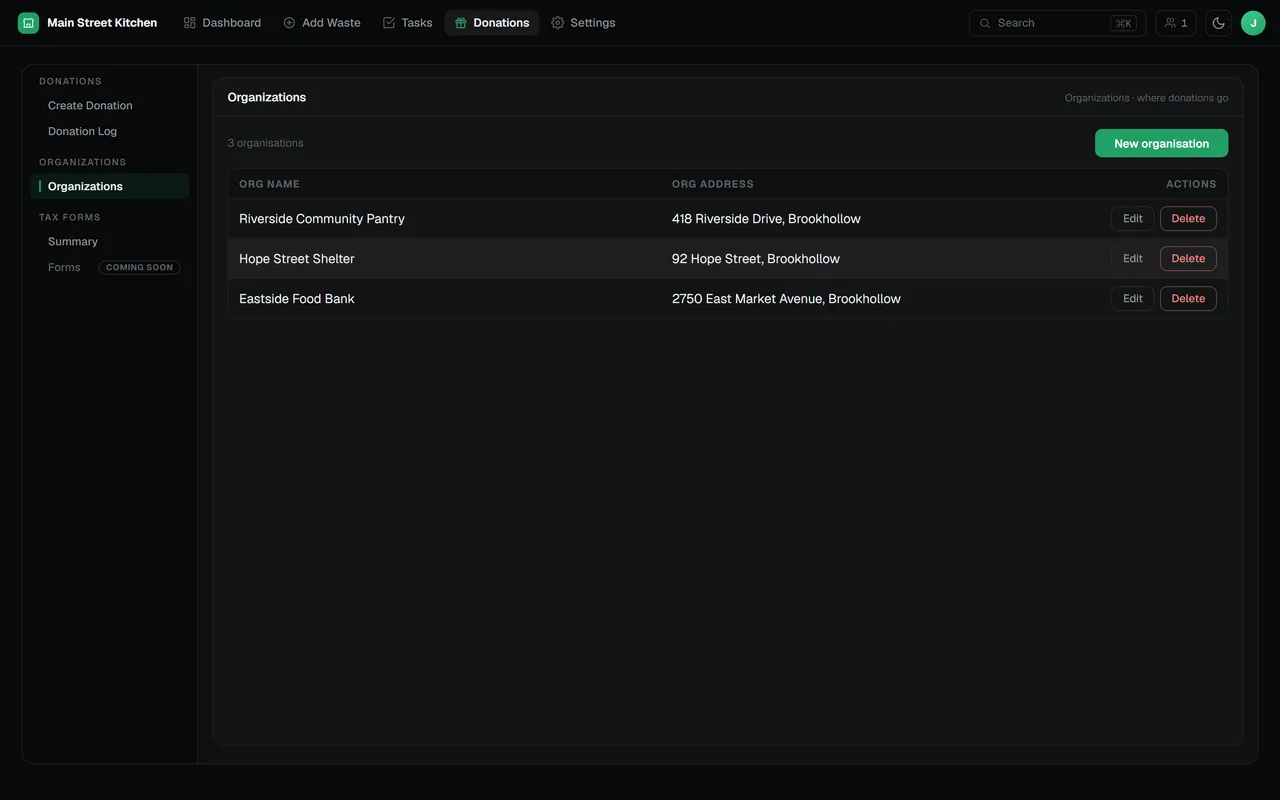
Save the food banks, pantries and shelters you work with once, with their addresses, and choose them from a list each time. Receipts and the log show exactly where each donation went.
What Donation Tracking includes
Several boxes per donation
Combine boxes from different shifts into one donation.
Exact contents
Items, quantities and units come straight from the batches your staff logged.
Recorded at cost
Each donated entry carries its cost, so totals match your food cost records.
E-signatures
Consent, full name and statement, timestamped by the database.
PDF receipts
A numbered receipt for every donation, ready to print or file.
Kept out of waste totals
The dashboard’s donation filter separates food that was given away from food that was thrown out.
Questions about donation tracking
How do I record a food donation in the RMS?
Open Donations and choose Create Donation. Pick one or more closed boxes, choose the receiving organization and save. The donation lists every item, quantity and cost from those boxes.
Can the receiving organization sign for a donation?
Yes. Each donation can carry an e-signature with the signer’s consent, full name and the signed statement. The database stamps the date, and the signature appears on the PDF receipt.
How is the maximum enhanced deduction calculated?
For each item it is the smaller of two amounts: the cost basis plus half the difference between fair market value and cost basis, or twice the cost basis. This follows the US enhanced deduction for donated food inventory, which applies when a qualifying charity uses the food to care for the ill, the needy or infants, and is capped at a share of income each year. Treat it as an estimate and confirm it with your tax professional.
Where do the cost and value figures come from?
Cost basis uses each item’s cost and fair market value uses its sale price, both set in item settings. Items without a price show a dash instead of being counted as zero.
Can I file tax forms from the RMS?
Not yet; tax forms are coming soon. Today the Summary view gives you the per-item figures for any date range, and each donation has a printable receipt.
The rest of the RMS
Every feature reads from the same boxes your team logs.
Find out where your food cost goes
Tell us about your kitchen and we will show you the RMS.